Product Updates
A Digital Stamp Card for Car Wash Businesses: Meet Semart Customer Loyalty
Turn the familiar 10-stamp car wash card into a digital loyalty program with Semart. Learn how to activate rewards, use them at Semart POS, and review returning-customer performance.
Semart Editorial Team
8 min read
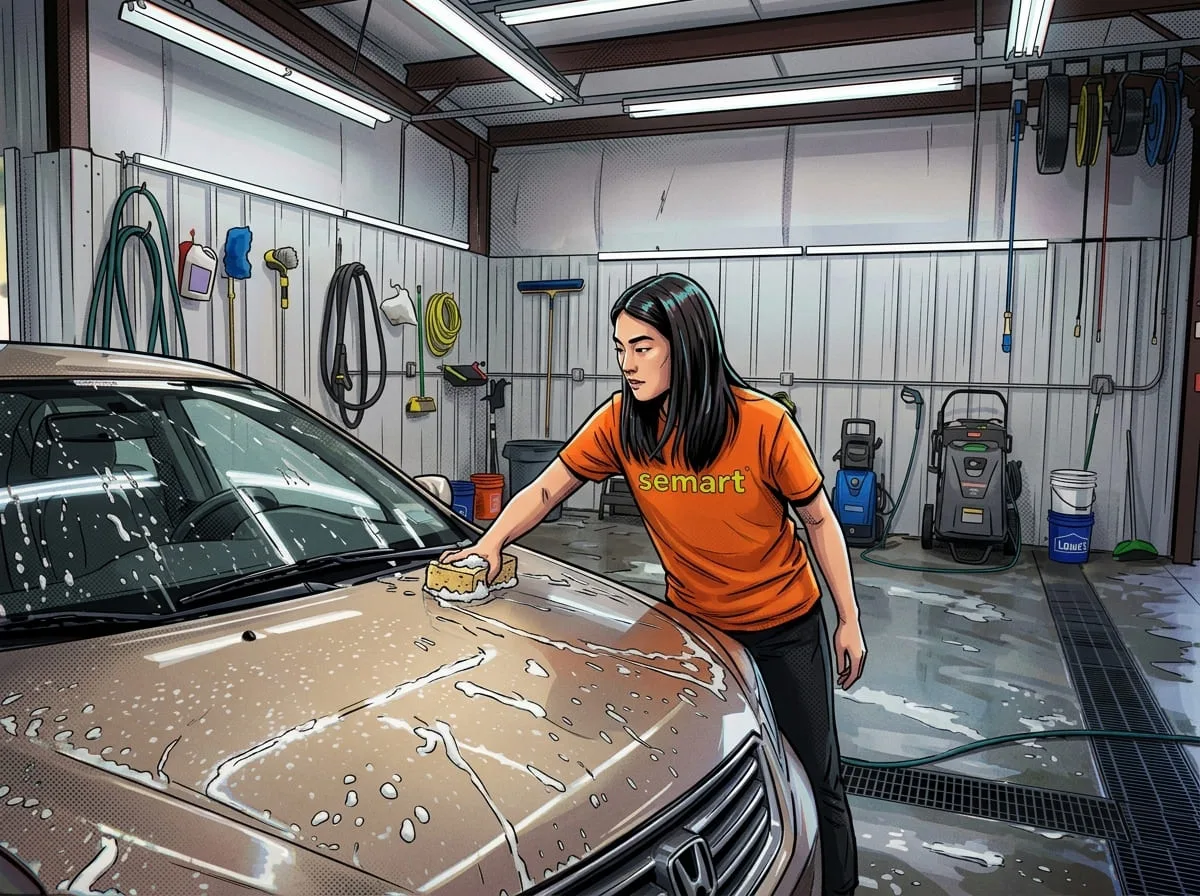
Paper stamp cards are familiar at car washes across Malaysia and many other Asian markets: complete a wash, receive a stamp, and collect 10 stamps to earn a free car wash. It is simple for customers to understand—but cards are also easy to forget, lose, or leave in another vehicle.
Semart Customer Loyalty brings that familiar promise into the same system your team already uses to sell a wash. Customers build a digital stamp balance when they are attached to a sale in Semart POS, staff can redeem a fixed reward at checkout, and owners can review loyalty activity from Semart app.
Why a digital stamp card works for car wash businesses
A car wash is naturally suited to loyalty because the service is repeatable. The challenge is making sure a customer remembers your business when the car needs cleaning again. A clear stamp-and-reward promise gives customers a reason to return without making the checkout conversation complicated.
Moving the stamp card into Semart also removes several everyday problems. Staff do not need to stamp or replace paper cards, customers do not need to carry one, and the business has a consistent record connected to the customer profile.
Keep the offer easy to explain
The best car wash loyalty program can be explained in one sentence. Start with the offer customers already recognise, such as “earn one stamp for each standard wash and collect 10 stamps for RM15 off”. Your exact spend threshold and reward should match your own pricing and margins.
Use a fixed reward instead of a vague promise
Semart applies a fixed-value discount rather than automatically making a particular item free. For a “free basic wash” offer, set the reward amount to the current selling price of that wash. If you later change your car wash prices, review the loyalty promise before the first loyalty transaction locks the terms.
How Semart Customer Loyalty works
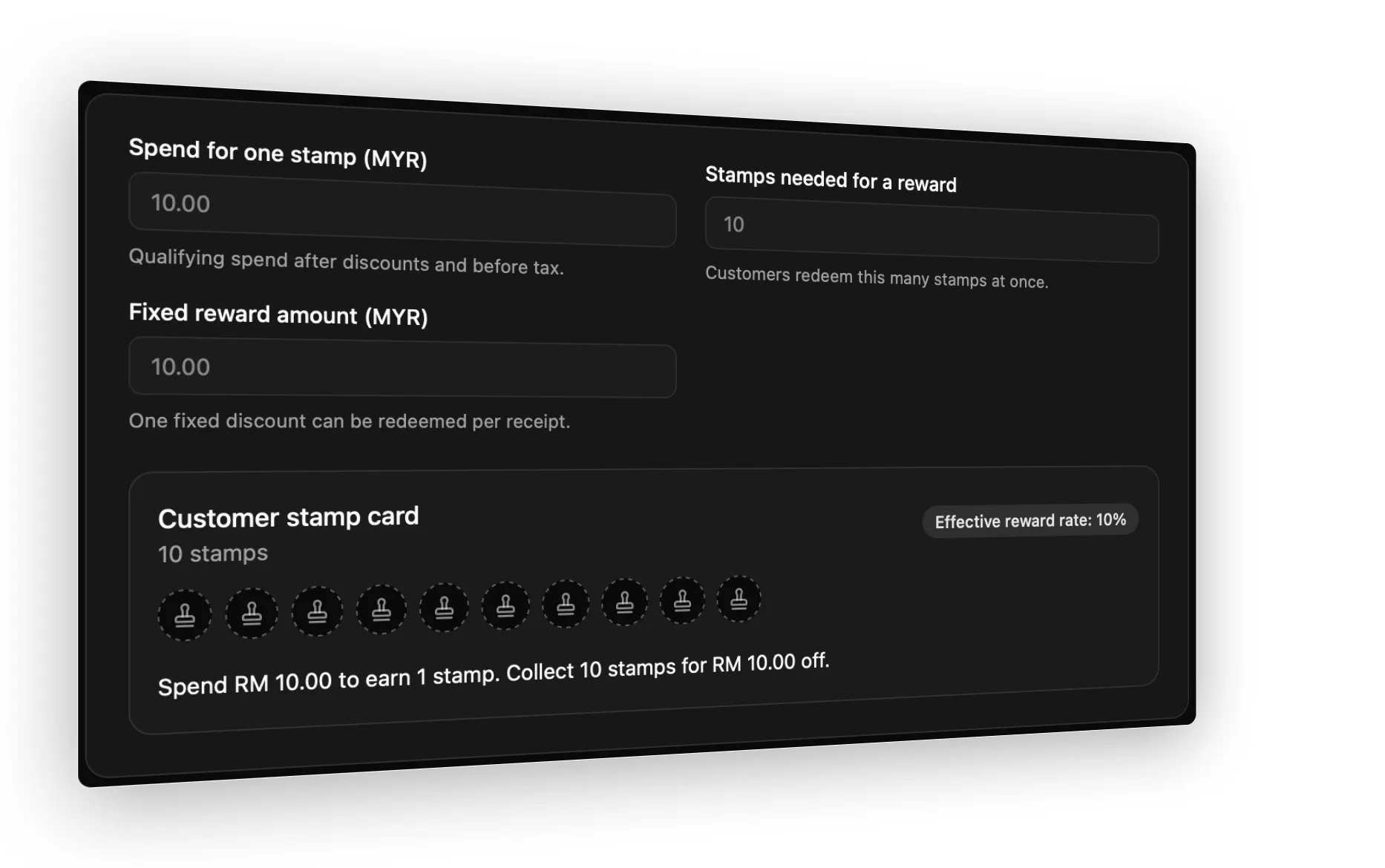
You configure three simple values in Semart app: how much qualifying spend earns one stamp, how many stamps unlock a reward, and the fixed reward amount. Qualifying spend is calculated after discounts and before tax.
Spend for one stamp: the amount a customer needs to spend to earn one digital stamp.
Stamps needed for a reward: enter 10 if you want to mirror the familiar 10-stamp car wash card.
Fixed reward amount: the discount customers can redeem once they have enough confirmed stamps.
Only one loyalty reward can be redeemed per receipt, and stamps do not expire. Once the first loyalty transaction has taken place, Semart locks the customer promise so the earning and reward terms remain consistent. You can still pause the program; existing customer balances are preserved.
How to activate the loyalty program in Semart app
Sign in to Semart app with an account that can change the business settings, then follow these steps:
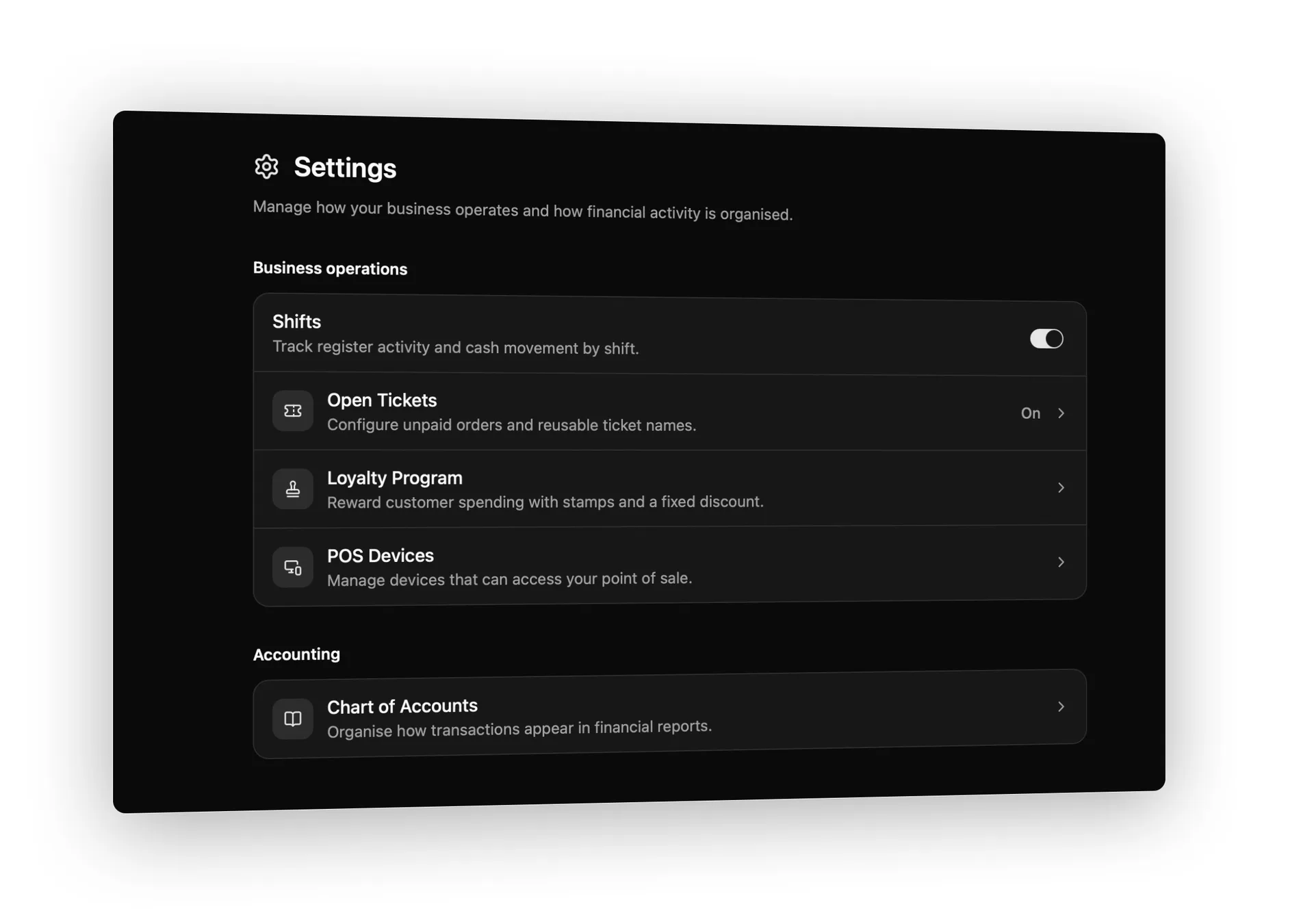
Open Workspace, then go to Settings.
Under Business operations, select Loyalty Program.
Enter the amount under Spend for one stamp. For a simple car wash offer, this can match the price of your standard wash.
Enter the number under Stamps needed for a reward. Use 10 to recreate a 10-stamp card.
Enter the Fixed reward amount. To represent a free standard wash, set it to that wash’s current price.
Review the customer promise shown in the preview, including the effective reward rate.
Select Save draft.
Select Review and activate, check the final terms, then select Activate program.
When you need to pause the program
Return to Settings → Loyalty Program and select Pause program. Customer balances remain available, while new earning and redemption stop after Semart POS terminals sync. You can resume the program later from the same page.
How to use loyalty in Semart POS
The daily workflow stays close to a normal car wash sale. The important step is attaching the correct customer to the ticket so Semart knows whose stamps to update.
Award stamps on a car wash sale
Start a sale in Semart POS and add the customer’s car wash service or package to the ticket.
Tap the Add customer icon at the top of the sales screen.
Search for the customer and select their name. If they are new, select Create a New Customer, save the profile, and attach it to the sale.
Check the loyalty status beneath the customer. Semart may show Starts earning with this purchase, a balance such as 6 of 10 stamps, or Reward ready.
Complete payment as usual. Semart calculates the stamps from qualifying spend and records them against that customer.
Give the customer their receipt. The receipt shows stamps earned and the updated stamp balance; an offline sale may show the earning as pending until it syncs.
Redeem a reward at checkout
Add the car wash service to the ticket, then open the customer picker.
Find the customer whose status says Reward ready.
Open the customer actions menu and select the Redeem option showing the fixed reward amount.
Confirm that Loyalty reward appears as a discount on the ticket.
Select Pay Now and complete the sale. The receipt records the stamps redeemed, any stamps earned on the remaining qualifying spend, and the new balance.
How to review customer loyalty performance
Semart gives you a quick operational summary and a broader customer report, so you can see both reward activity and repeat-purchase behaviour.
Check the loyalty summary
Go to Settings → Loyalty Program. Once the program is active, the summary shows Enrolled customers, Stamps awarded, and Rewards redeemed. This is the quickest way to confirm that the program is being used at the counter.
Review the Customer Loyalty report
Go to Reports → Customer Loyalty and select a date range. The report shows Total Customers, New Customers, Returning Customers, Average Spend per Customer, and Average POS purchases.
The Customer Details table lets you review each customer’s spent amount after refunds, number of POS purchases, average POS purchase, last purchase date, and the date they first purchased. For a car wash, this helps you see whether customers are returning more often and which regulars are most valuable.
Practical setup tips for a car wash
Start with one standard promise. A single 10-stamp offer is easier for staff and customers than several competing rewards.
Use a consistent customer identifier. Ask for the customer’s name and phone number so staff can find the correct profile on the next visit.
Attach the customer before payment. A sale without a customer cannot be added to that customer’s loyalty balance.
Train every cashier on the Add customer and Redeem actions. Consistency at the counter is what makes the digital program feel effortless.
Test one complete journey before announcing the offer: activate the program, attach a test customer, complete a qualifying sale, confirm the receipt, and review the updated loyalty summary.
Choose a reward your margins can support. A “free wash” can be represented by a fixed discount equal to your basic wash price, while upgrades remain payable.
Turn a familiar stamp card into a better customer experience
Semart Customer Loyalty keeps the car wash offer customers already understand, while removing the paper card from the process. The setup is simple, staff use it inside Semart POS, customers can see their progress on receipts, and owners gain a clearer view of repeat business.
If your car wash already offers 10 stamps for a free wash, this is a natural next step: keep the promise, make the balance digital, and manage it from the same Semart workspace you use to run the business.
About the author
Semart Editorial Team
The editorial team at Semart Sdn. Bhd.